 CleanApps
Shot Caller: Camera Remote
Richard Nelson
Shot Caller turns one iPhone or iPad into a camera and another into its remote control.
- Data Not Collected
- Open Source
- Devices
- iPhone, iPad, Mac, Apple Vision
- Requires
- iOS 18.0+
- Version
- 2.0
- Updated
- Released
- Size
- 4 MB
- App Store rating
- 2.0 of 5 (1)
Checked on .
Screenshots
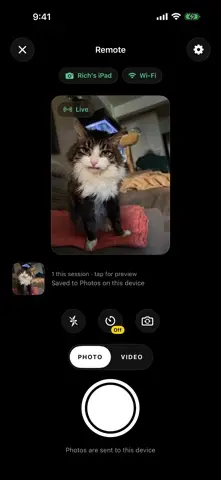
About Shot Caller: Camera Remote
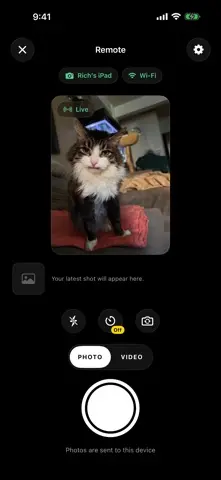
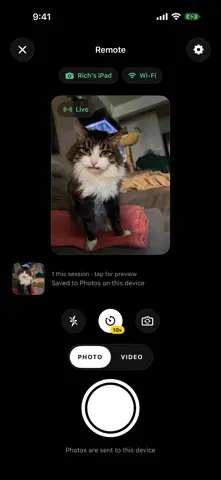
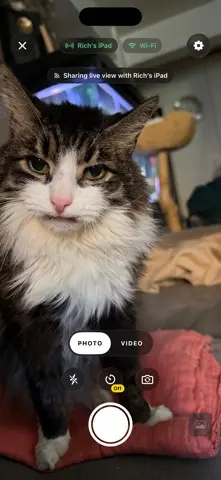
Shot Caller turns one iPhone or iPad into a camera and another into its remote control. Set the camera down, step into the shot, and take the picture from the device in your hand. TWO ROLES, ONE CODE Choose Camera on one device and Remote on the other. Type the four-digit code shown on the camera and you're connected. No account and nothing else to set up. Two devices running iOS or iPadOS 18 or later are required. EVERYTHING FROM THE REMOTE • Take photos, or start and stop video recording • Switch between the front and back cameras • Cycle the flash and set a 3 or 10 second countdown that shows on the camera's screen • See a live view of what the camera sees when both devices share a Wi-Fi network
Full description
COPIES WHERE YOU WANT THEM Decide whether the camera keeps a copy in Photos and whether the remote receives photos and videos. On a shared Wi-Fi network full-resolution originals arrive on the remote within seconds. Over Bluetooth alone the remote still controls everything, and waiting files can be downloaded on request. PRIVATE BY DESIGN Everything travels directly between your two devices over Bluetooth and, on a shared network, Wi-Fi. There is no server, no account, no ads and no analytics, and Shot Caller collects no data. Shot Caller is free and open source.