 CleanApps

Sbu Subscriptions
Matteo Giuditta
Add your subscriptions and at the top you see what you spend a year, or a month.
- Data Not Collected
- Open Source
- Devices
- iPhone, Mac, Apple Vision
- Requires
- iOS 17.0+
- Version
- 2.1.0
- Updated
- Released
- Size
- 10 MB
- App Store rating
- 5.0 of 5 (1)
Checked on .
Screenshots
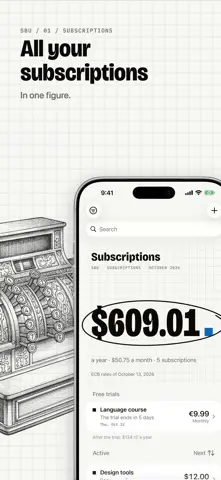
About Sbu Subscriptions
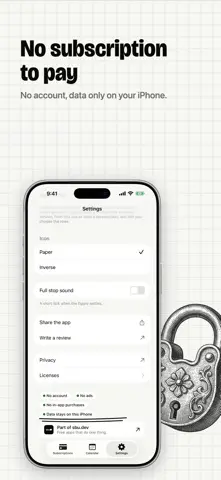
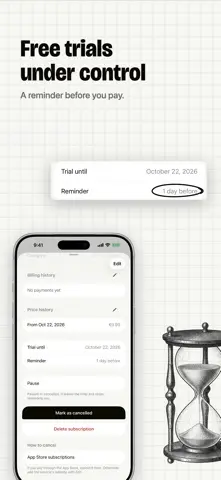
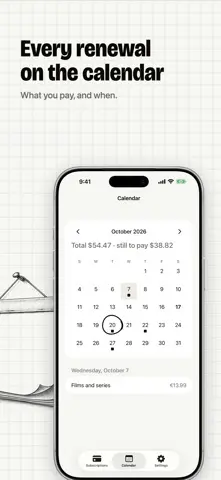
Add your subscriptions and at the top you see what you spend a year, or a month. Before each renewal a reminder tells you the day and the amount. - Unlimited subscriptions, from a list of known services or your own - Weekly, monthly, quarterly and yearly cycles, every N days, weeks, months or years, one-off or in instalments - What you spend in one figure, with other currencies converted at the ECB rates included in the app, or at your own - Free trials with the days left and the price after the trial - Reminders before each renewal and before a trial ends, at the time you choose - Payments calendar with the month's total and what's still to pay - Price changes from a date, payment history and Mark as paid - Categories, lists and payment methods; sort, group, filter and search - Pause, cancel and reactivate without losing anything - Help to cancel: the service's website or your App Store subscriptions - Widgets for the Home Screen and the Lock Screen - Siri, Shortcuts and Spotlight - Export and import as CSV, from a spreadsheet too - iCloud stays off until you turn it on: then your subscriptions sync across your devices, through your own iCloud - Share a list with anyone, through iCloud and only when you choose: they see it read only, with its total - Light and dark, Dynamic Type, VoiceOver Sbu does one thing: it tells you what your subscriptions cost, so no renewal takes you by surprise. No subscription. No in-app purchases. No account. No ads. No tracking. Data stays on your device.